A calm, private dashboard for your Health Connect data
Works with whatever your Fitbit, Pixel Watch or Galaxy Watch writes to Health Connect, and shows only what you have. No watch? From version 0.10 your phone counts steps and you log sleep and water by hand.
Screens
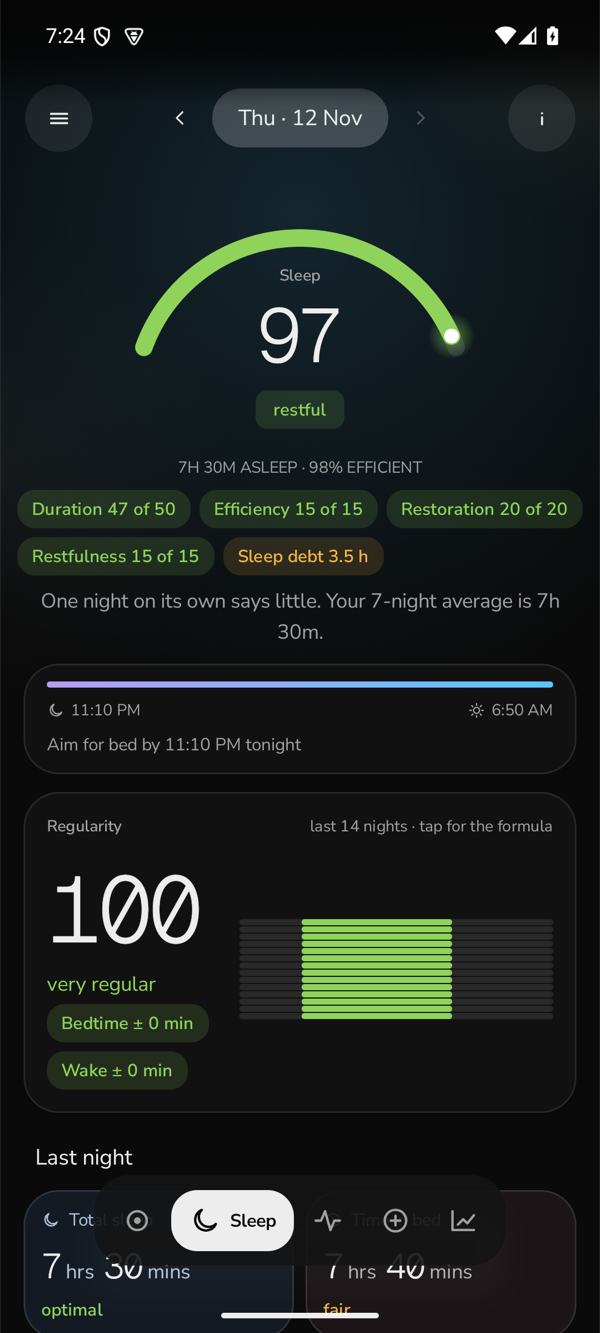
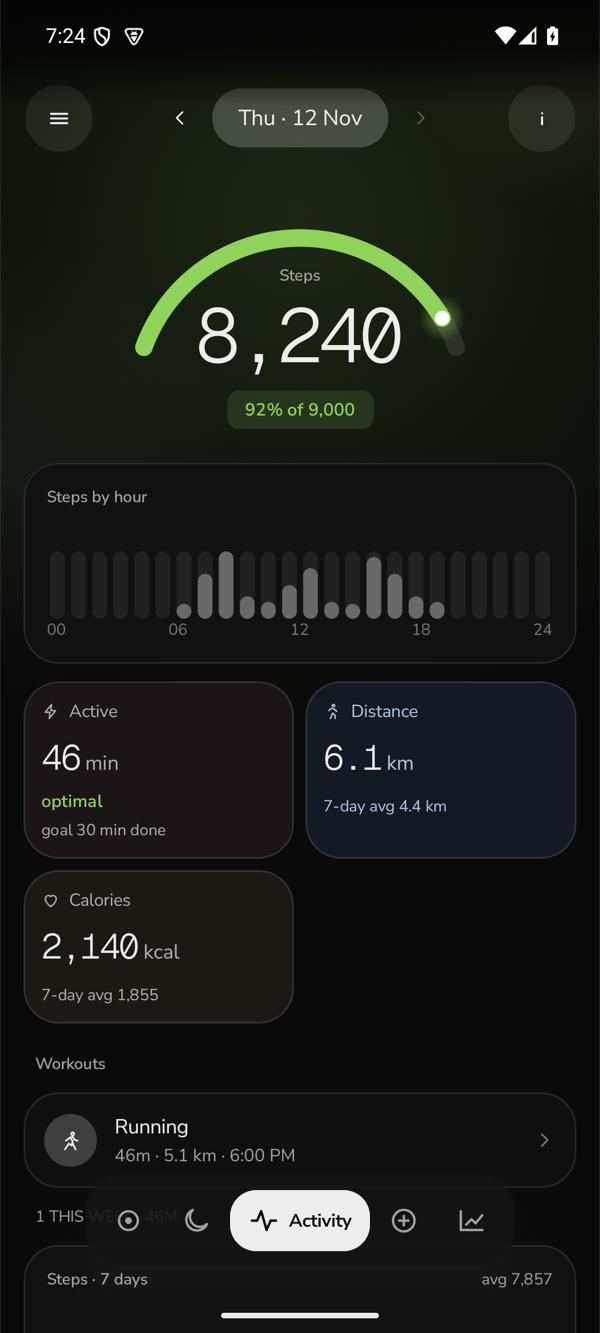
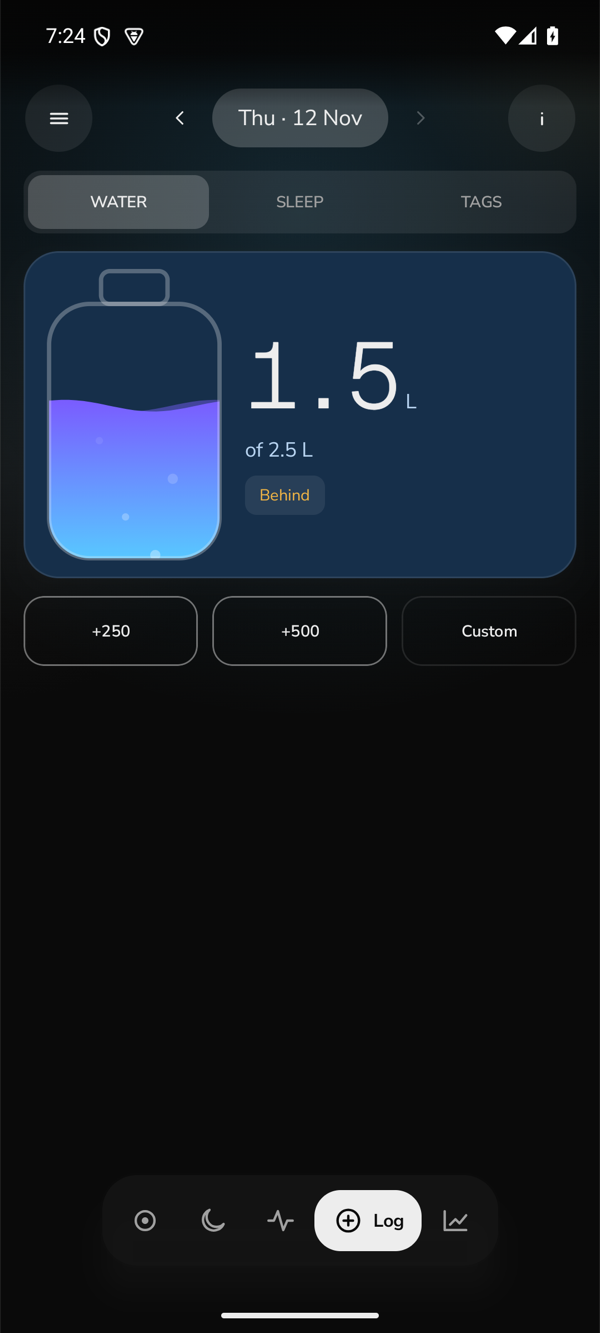
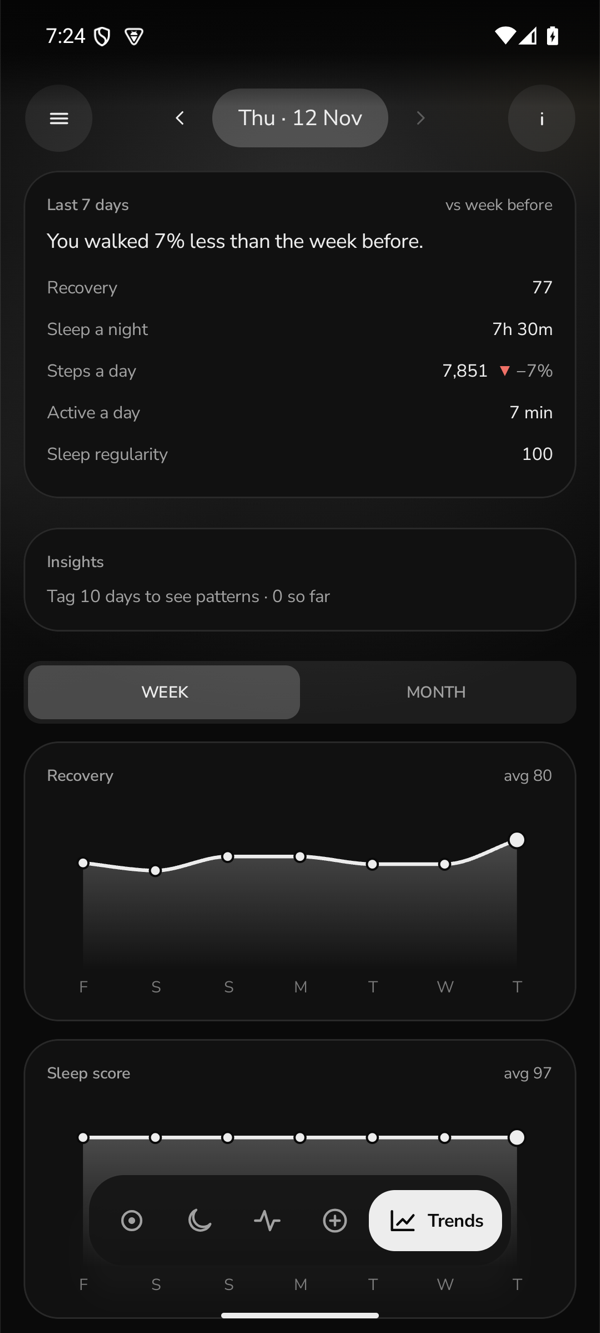
Screens show sample data.
Features
Everything on five swipeable pages
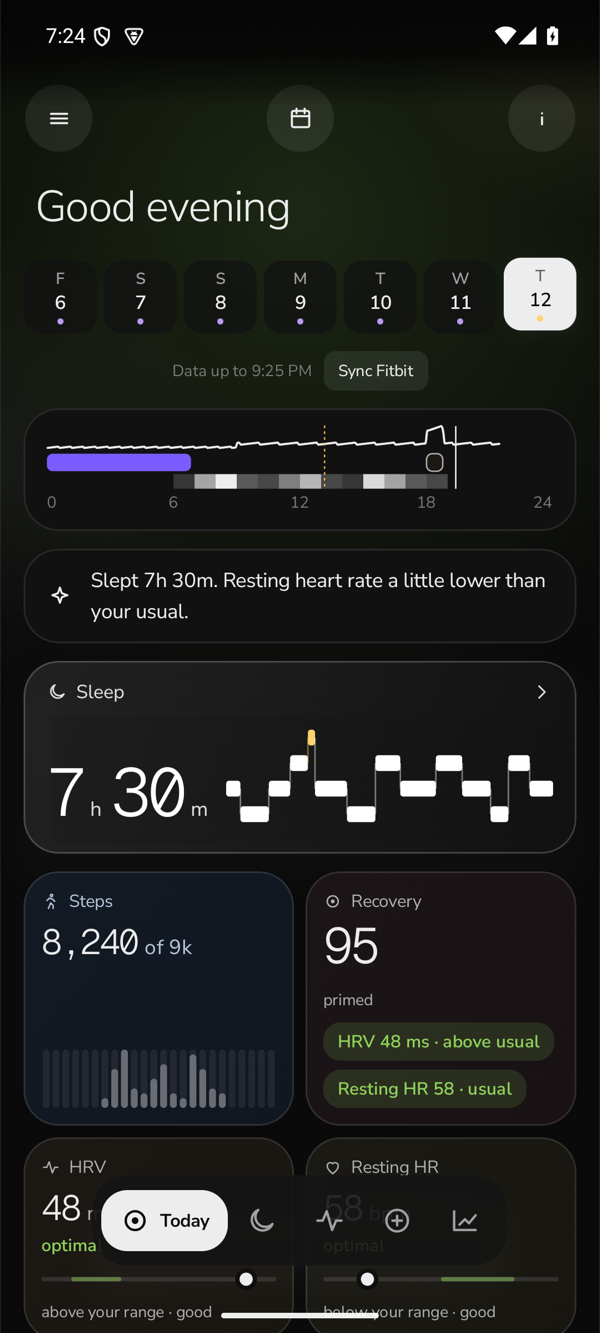
Recovery, sleep, activity, a log and trends, with the numbers that matter and none of the noise.
Recovery ring
One ring with your recovery score, plus sleep, recovery and movement with change since yesterday, and a weekly review.
Sleep
A score gauge, stages over the night, and your deep, light and REM against typical ranges.
Activity
Steps against your goal, workouts with heart-rate zones, heart rate through the day and naps, in plain cards.
Trends
Week and month views, so you can see where you are heading.
Works without a watch
New in 0.10: turn on Phone only mode and your phone counts steps, while you log water and last night's sleep by hand.
Focus mode
Today with only recovery, sleep, steps and water. Switch to the full dashboard whenever you like.
Light and dark
A soft light look and a near-black dark mode, following your system or set by hand.
Home-screen widget
Your scores at a glance, with an opt-in background refresh.
Day picker
Step back through any day from a week strip or a full calendar.
Ask AI
Share a summary of your day to any assistant you already use. Nothing leaves unless you send it.
Share your day
Turn today into a clean image in your current theme and send it anywhere.
Privacy
Private by design. Verifiable by anyone.
Your health data is read from Health Connect and processed on your phone. It only leaves when you choose to share it from the share sheet.
No internet permission
The release APK requests no INTERNET permission, so fitdash itself cannot connect to the internet. Data only leaves your phone when you choose to share it.
No servers or API
There is no backend. Data is read and processed on your phone.
No account or tracking
No sign-up, analytics, crash reporting, ads or trackers.
Writes only what you enter
fitdash writes only the water, height, sleep, protein and caffeine you enter yourself (protein and caffeine on the GitHub build only) and, in Phone only mode, the steps your phone counts. It never changes or deletes any other data. Undo removes only the entry you just added.
Open source, GPL-3.0
Read every line. Any fork must stay open source too.
Built in the open
Release APKs are built and signed by GitHub Actions from the public source.
Verify it yourself
Check the APK you downloaded. The list should show the Health Connect READ permissions, WRITE_HYDRATION, WRITE_HEIGHT, WRITE_NUTRITION, WRITE_STEPS and WRITE_SLEEP, ACTIVITY_RECOGNITION for the phone step counter, POST_NOTIFICATIONS, WAKE_LOCK and RECEIVE_BOOT_COMPLETED for reminders and background refresh, and no INTERNET.
aapt dump permissions fitdash.apk
apksigner verify --print-certs fitdash.apk
Signing certificate SHA-256:
15:9A:A2:14:AC:84:59:08:E6:D4:30:90:2D:50:D4:FA:85:AA:9C:E1:92:21:E7:9C:E7:3A:83:CA:B5:9E:55:72
Or build it yourself with ./gradlew :app:assembleGithubRelease.
Install
Get fitdash
Android 8 or newer, with Health Connect. Install it from Google Play, or download the APK, open the file and allow installing from your browser. Every release is built by GitHub Actions from this repo. Version 0.10 is in the APK now and is on its way to Google Play.
Or build from source (JDK 17 and the Android SDK):
git clone https://github.com/mayurrawte/fitdash && cd fitdash && ./gradlew :app:installGithubDebug